Shapes and geometry#
A Geometry is what a node draws: triangles (with colors, normals, and texture coordinates), points, boxes, lines, and arrows, plus a material. You can fill one in by hand, but usually you build one or read one from a file.
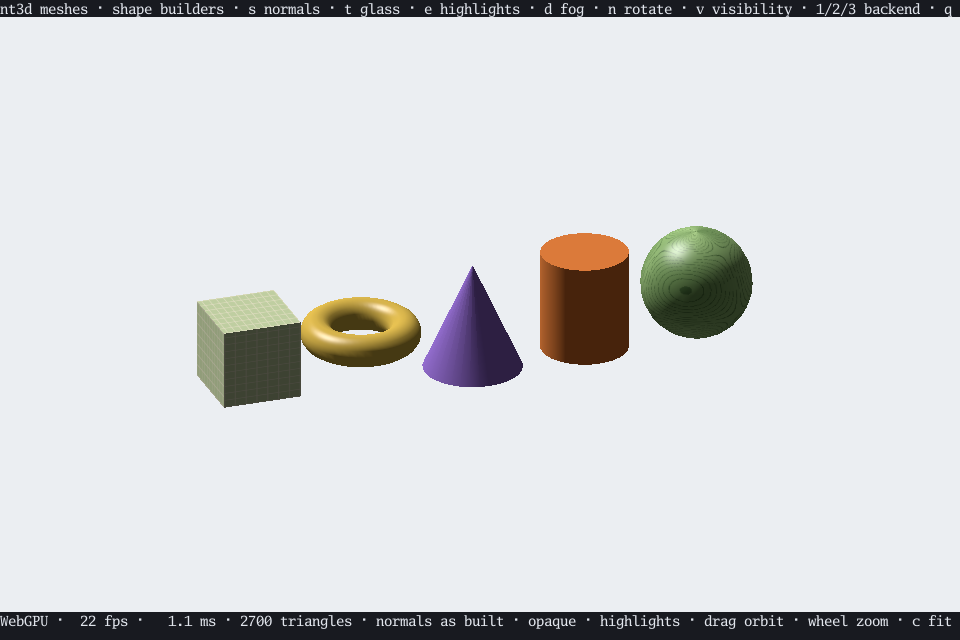
Building shapes#
BuildSphere, BuildCylinder, BuildTorus, and BuildCuboid each take a small spec struct and return a lit, UV-mapped mesh centered on the origin, with Z up. Leave the tessellation counts and color at zero for sensible defaults.
sphere, err := nt3d.BuildSphere(nt3d.Sphere{Radius: .5, Material: &nt3d.Material{Texture: tex}})
cone, err := nt3d.BuildCylinder(nt3d.Cylinder{BottomRadius: .4, Height: 1})
BuildCylinder makes cones too (a zero TopRadius) and frusta (two different radii). Faces wind counterclockwise seen from outside.
Terrain#
BuildHeightfield makes a surface from a grid of heights, from a slice or a Sampler function. It sets up normals, texture coordinates, and a hint (Geometry.WireGrid) that lets the wireframe renderer draw a tidy row-and-column lattice instead of every triangle. The terrain demo is built on one.
Changing geometry#
moved, err := nt3d.TransformGeometry(cone, nt3dmath.Translation(nt3dmath.Vec3{X: 1}))
both, err := nt3d.MergeGeometry(sphere, moved) // fails: different materials
smooth, err := nt3d.SmoothNormals(stlGeometry, 40)TransformGeometrybakes a transform into the vertices and normals. Unlike a node’s transform it can mirror, and it reverses the winding so faces still point outward.MergeGeometryjoins geometries that share a material.FlatNormalsgives each face its own normal, for a faceted look.SmoothNormalsaverages the normals of faces meeting at a point, if they meet at less than the crease angle you give, weighting each by its corner’s angle. It matches corners by position, so it smooths STL files, whose triangles share no vertices, too.