Picking#
Scene.Pick finds what lies under a point on the screen: the node, the kind and index of the primitive, your application’s datum ID, and the world position hit. In the widget, a click sends you a PickMsg with the same answer.
hit := scene.Pick(camera, frame, x, y, tolerance)
if hit != nil {
	fmt.Println(hit.Name, hit.Index, hit.Position)
}- Meshes are hit on their faces. Picking sees through a cutout’s holes to what’s behind them, and treats transparent surfaces as solid.
- Hidden nodes, and nodes outside the view, are never hit.
- Points, boxes, and lines are tested one by one.
Fast picking on big meshes#
Testing every triangle takes a few milliseconds even for a 1.5-million-triangle mesh, so a click is answered at once. The first pick of a mesh over 256 triangles also starts building an index (a bounding volume hierarchy) in the background, and after that picks, such as following the mouse for hover, take about a microsecond. The index lasts until the node’s geometry changes.
An index takes about 28 bytes a triangle. Where picks are rare, Scene.SetPickIndexing(false) turns indexing off, and Scene.SetNodePickIndexing(id, false) turns it off for one node, such as terrain that’s never picked.
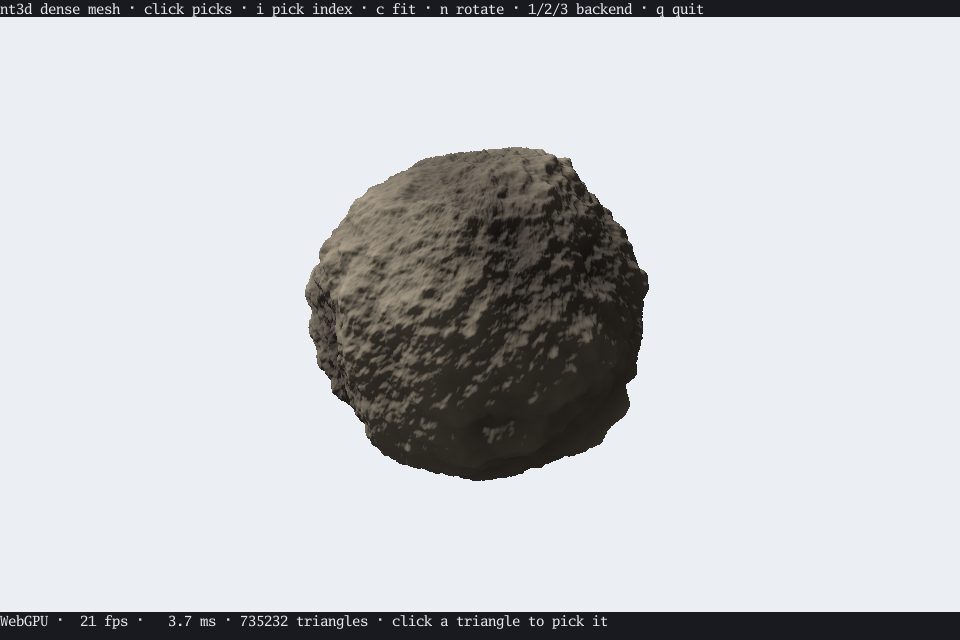
The dense mesh demo picks triangles on a 735,000-triangle asteroid; i turns indexing off to compare.