Demos#
The demos are complete programs in examples/demos, and the quickest way to see what nt3d does. Each runs in a terminal with task <name>, and in a browser from the gallery.
They all share the widget’s controls (drag to orbit, wheel to zoom, c to fit, r to rotate) and a few keys of their own: 1, 2, and 3 switch between GPU, software, and wireframe, and q quits. Each demo lists its other keys along the top of the screen.
Terrain explorer#
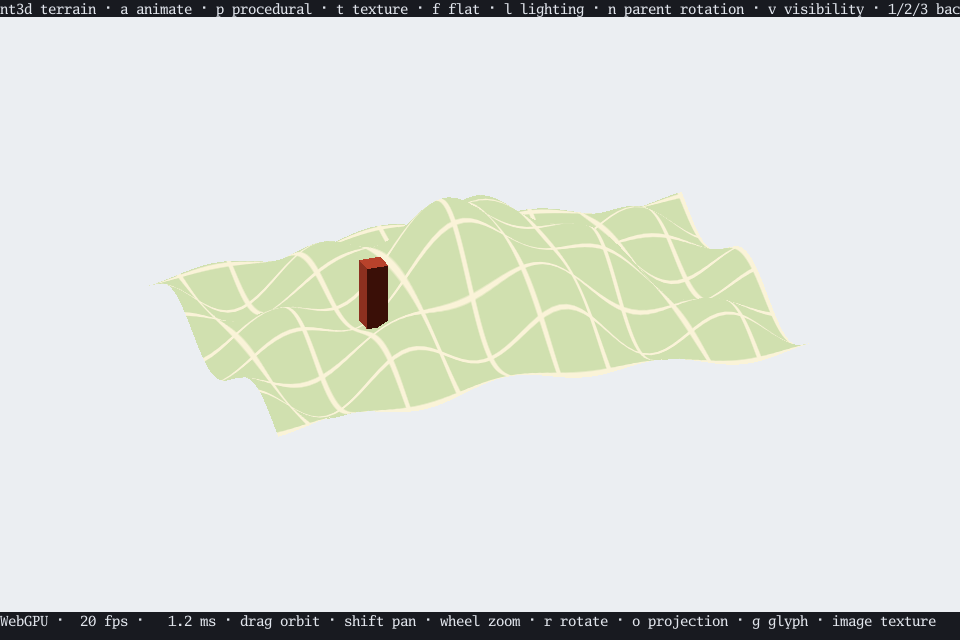
task terrain. A textured heightfield with lighting, picking, and parent transforms. f flattens the hills, t swaps the texture, l toggles lighting, n rotates the parent node, v hides it, and p switches to shader textures.
Its flags work for every demo: --render-mode gpu|software|wireframe, --snapshot file.png for a still image, --duration, --animate=false to start paused, and --medium direct|shm to choose how Kitty images are sent.
task terrain -- --render-mode software
task terrain -- --render-mode gpu --snapshot /tmp/terrain.png
Procedural plasma#
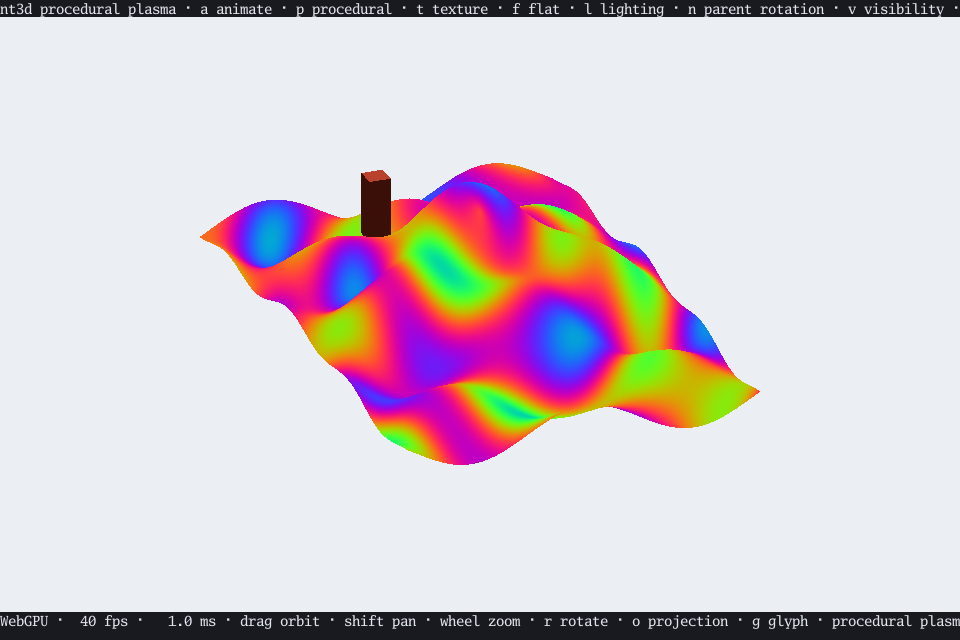
task procedural. A shader texture paints the terrain with animated plasma, up to 30 times a second, skipping updates while the widget is busy. a pauses it, t shifts its phase, and software rendering shows the CPU fallback. Snapshots capture the first phase.
task terrain -- --procedural --snapshot /tmp/plasma-gpu.png
task terrain -- --procedural --render-mode software --snapshot /tmp/plasma-software.png
Dynamic scene#
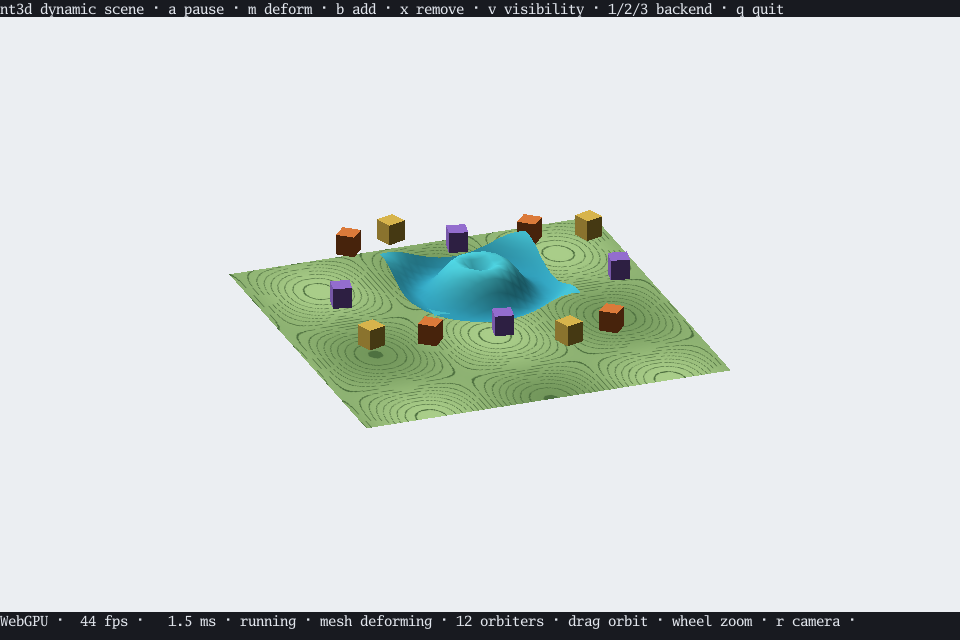
task dynamic. Boxes orbit a deforming wave above a textured floor. The wave changes its vertices and even its triangles each step; the boxes only change their transforms. m holds the wave so you can watch transform-only animation, b adds a box, x removes the oldest, a pauses, and v toggles visibility.
Water#
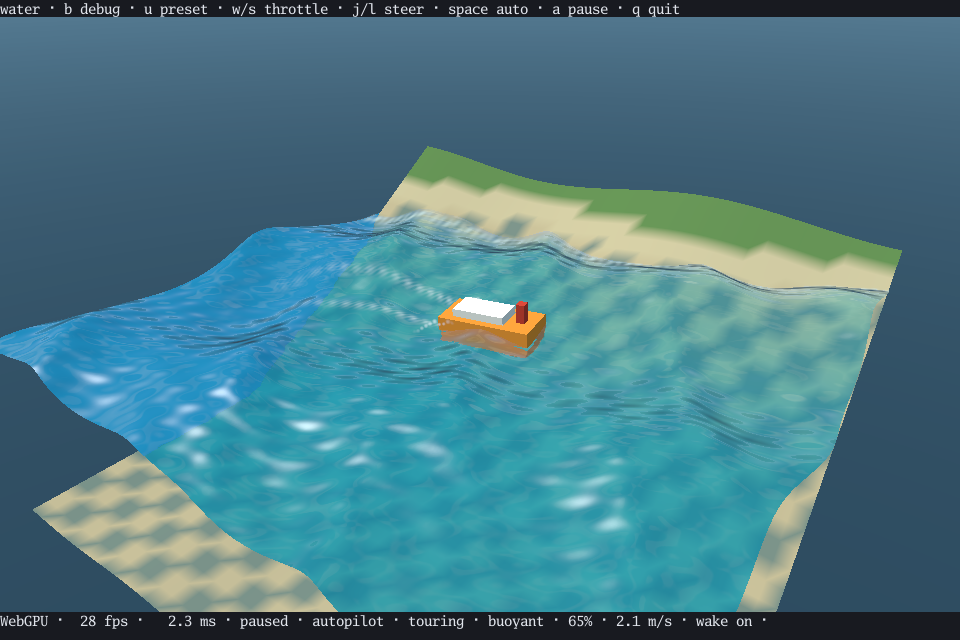
task water. A craft rides three Gerstner waves, launching off crests and landing under gravity. It starts on autopilot; w/s change throttle, j/l steer, and Space toggles autopilot. Hull probes supply buoyancy, drag, and planing forces to a fixed-step rigid-body integrator; stern-jet thrust drives and steers it. The water guide covers the force model and full key list. n toggles procedural ripple normals, e sky reflections, and a pauses the shared clock. GPU and software share surface geometry and material behavior; wireframe shows the large waves and craft motion.
Shape builders#
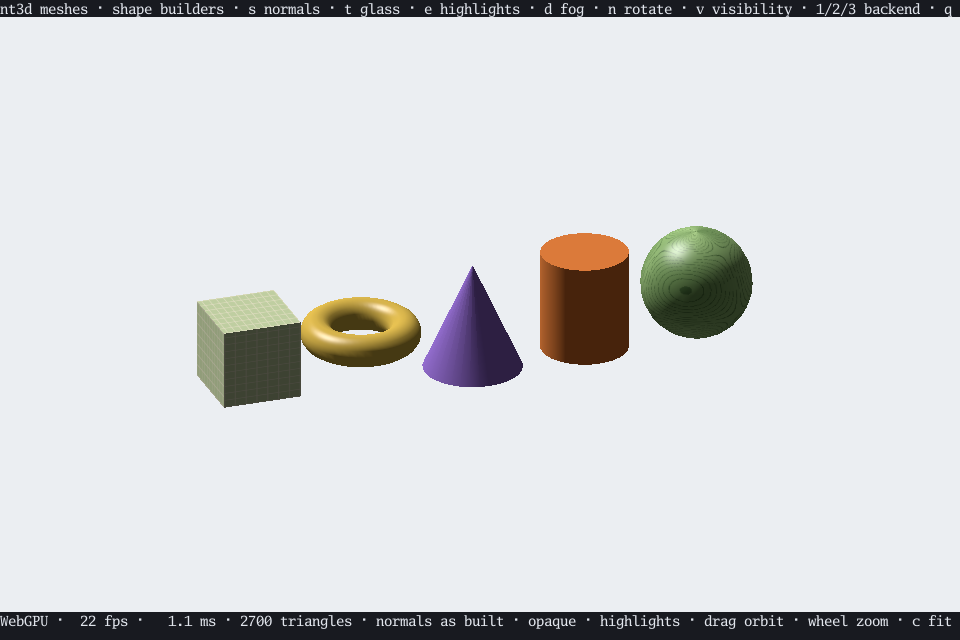
task shapes. Every shape builder, lit and textured. s cycles the normals between as built, flat, and smooth; t turns them to glass, e adds highlights, b toggles silhouette outlines, and d adds fog.
Mesh files#
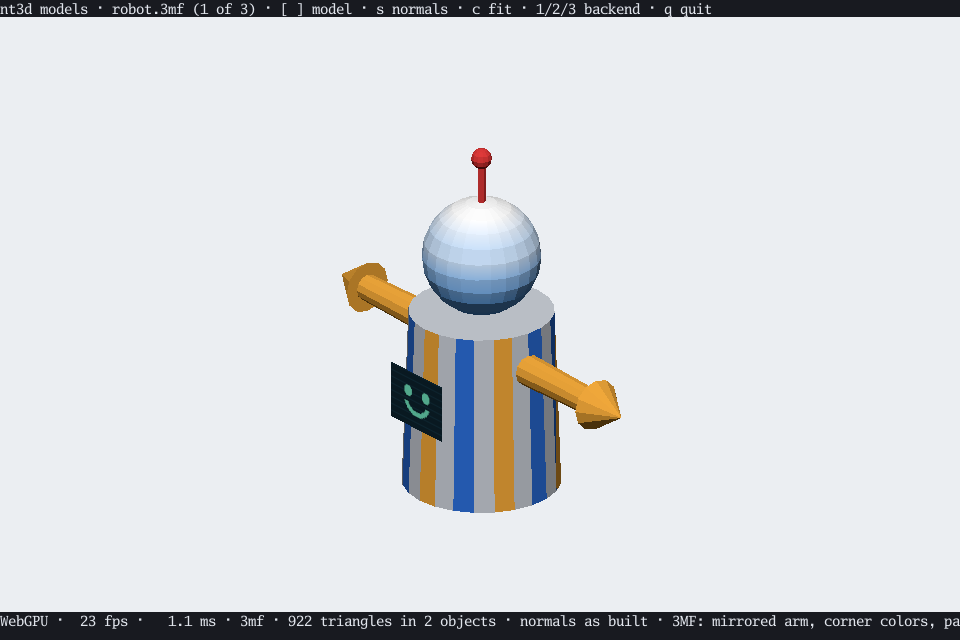
task models. Three sample files: a 3MF robot (components with a mirrored arm, a corner-color gradient, slicer-painted stripes, a textured screen, and a thumbnail), a Y-up OBJ star (concave caps, a wood texture, an MTL color), and a binary STL trefoil knot with face colors. [ and ] change model, and s cycles normals. The samples are made from nt3d’s own shape builders by task models-generate, so no third-party models are included.
task meshes -- model.stl shows your own files, any format nt3d reads; add --up y for Y-up OBJ files. A Gaussian splat capture (.spz, or a 3DGS .ply with --up -y) opens on its subject, the dense middle of the cloud, rather than on the shell of background splats around it, and c returns there. In a splat scene u halves the splat budget, y doubles it, and z restores the default. w builds a spherical-harmonic palette for the cloud in the background, with progress in the status line, and swaps it in with the GPU memory it saves; w again swaps the originals back, and during the build it cancels.
Dense mesh#
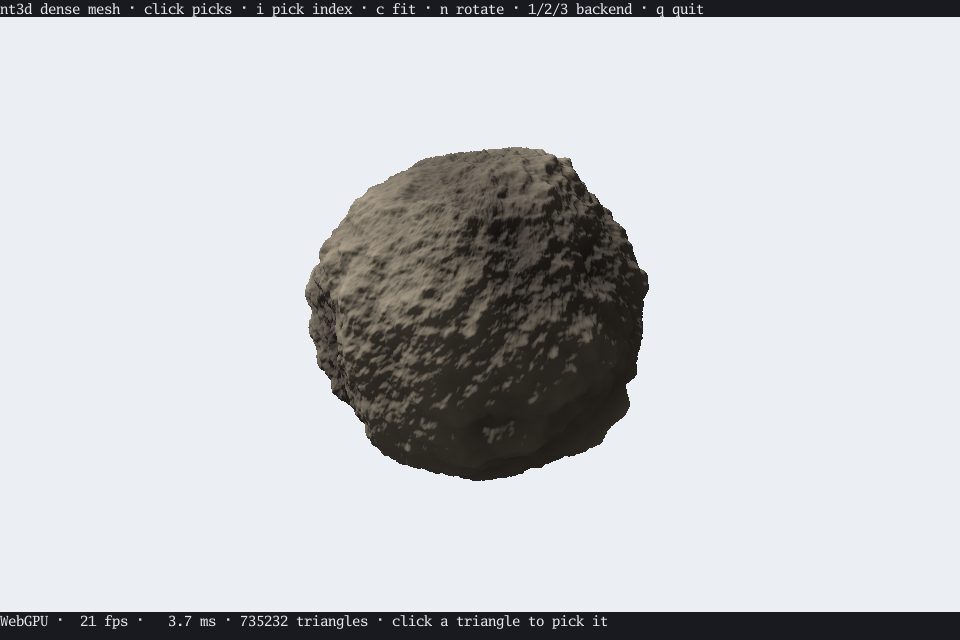
task large. A 735,000-triangle asteroid. Software draws every triangle, wireframe draws its silhouette and contours, and clicks pick triangles through an index built in the background; i turns indexing off.
Fur#
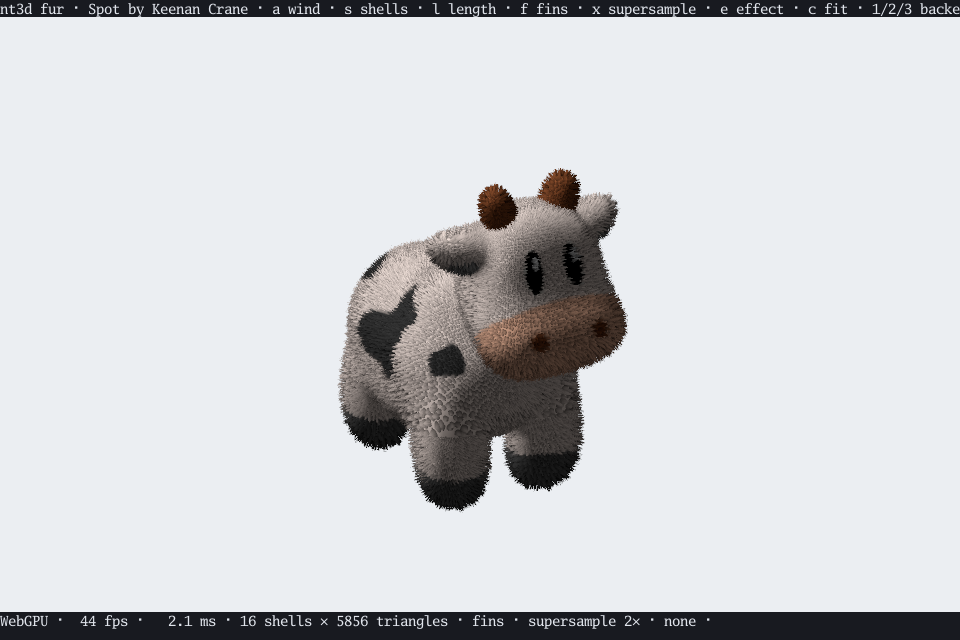
task fur. Spot the cow in shell fur colored by its own texture, swaying in the wind by moving nodes alone. s cycles the shell count, so you can watch layers become strands; l changes the length, f toggles the fins, m the coverage-preserving mipmaps, a the wind, x supersamples, and e cycles post effects.
Mipmaps#
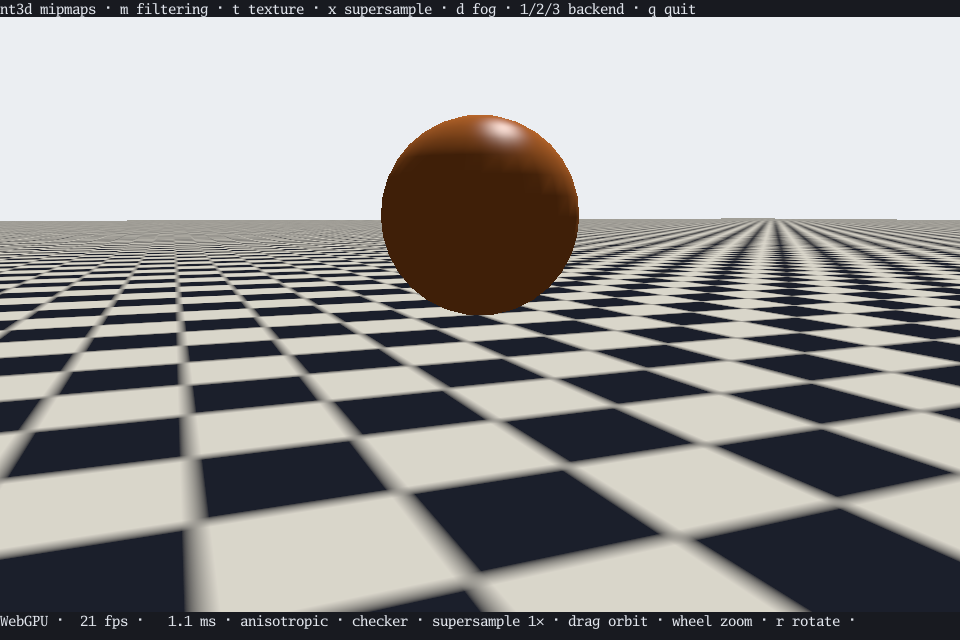
task mipmaps. A tiled floor to the horizon. m cycles the filtering: without mipmaps the far texels shimmer into moiré; with them the floor settles into an even tone, and anisotropic filtering keeps its detail. t changes the texture, x supersamples, and d adds fog.
Forest#
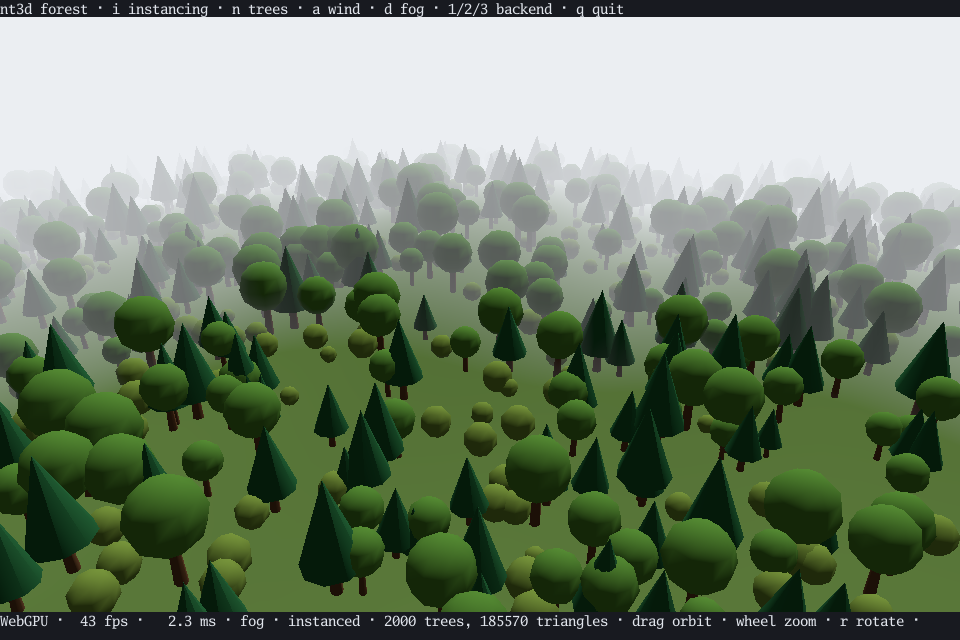
task forest. Thousands of trees from three shared meshes, each uploaded once and drawn in one instanced call, swaying in the wind. i switches them to separate copies to compare, n changes how many trees grow, a stills the wind, d fades them into fog, and s cycles through no shadows, drop shadows, and shadow maps.
Lights#
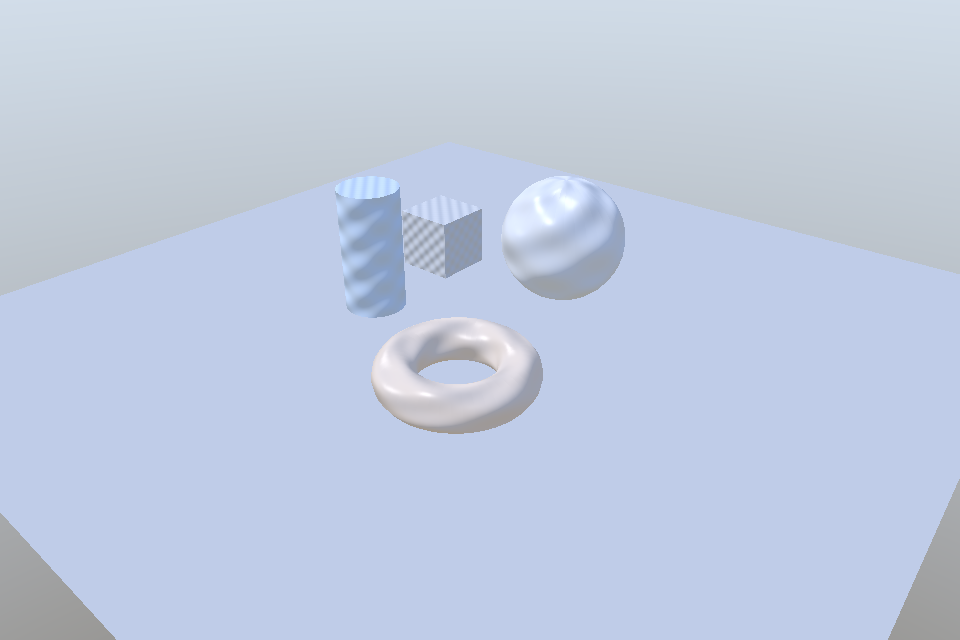
task lights. A sphere, a torus, a column, and a cube on a floor of two triangles, under presets of lighting: the default key light, a turning sun under a sky-to-ground ambient, three colored lamps orbiting, one lamp at night, and eight at once. It opens on the three lamps. Light is found per pixel, so a lamp’s bright spot crosses the floor where no vertex is. l changes the preset, f the point lights’ falloff, e turns highlights off, a pauses the lamps, and s cycles through no shadows, drop shadows, and shadow maps. Shadow maps use the first light, including the point-light presets. Press b to lift the shapes: drop shadows stay on the floor at world Z=0, while mapped shadows follow the light.
The first three presets demonstrate environment skies and diffuse image-based lighting: a gradient sky with a key light, the sky alone, and an original generated warm/cool panorama. l cycles through them and the direct-light presets. Sky orientation follows the camera in all three renderers. Press n to compare the generated relief normal map with smooth surfaces; both GPU and software perturb the lighting, while wireframe keeps the geometric silhouette.
Particles#
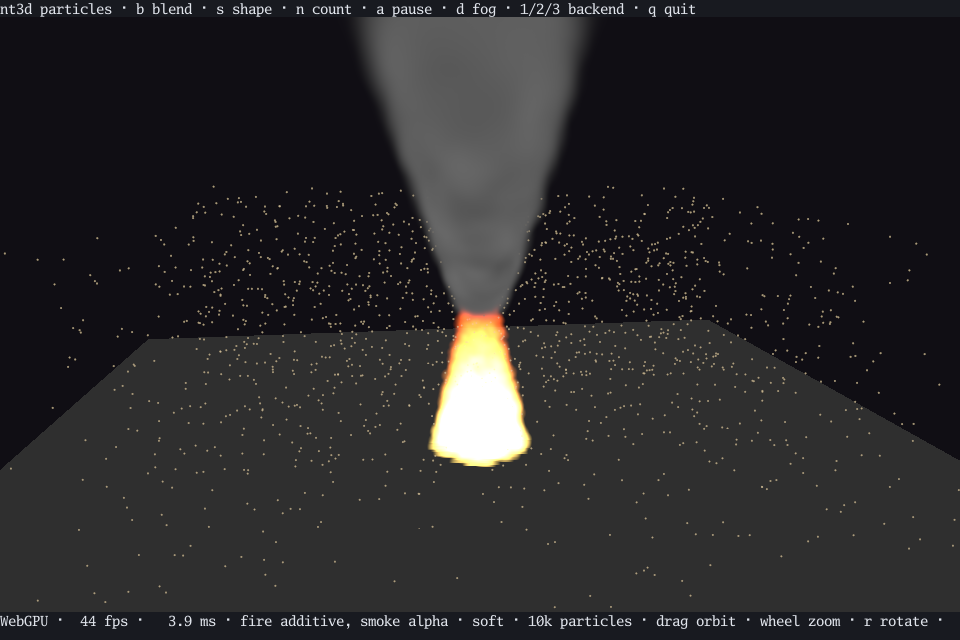
task particles. A fire of soft points sized in world units, glowing additively, rises into smoke blended by alpha, sorted back to front every frame, while dust drifts through in pixel-sized points. Every point moves every frame through SetNodePoints, keeping its GPU buffers and using fixed bounds. t switches to a generated four-frame sprite atlas. b changes the blending, s makes the points hard or soft, n changes the count (1,000, 10,000, or 100,000), and a pauses them.
Point cloud#
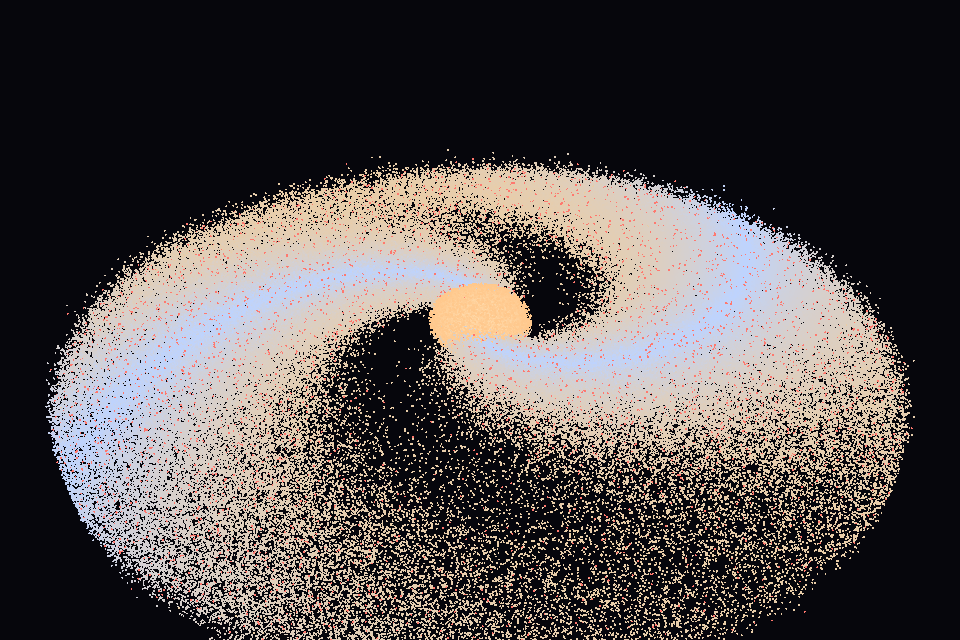
task cloud. A galaxy of up to a million opaque pixel points, grouped once into clusters of 256. Each frame keeps the clusters in view and thins the far ones: every point within six units, a spread half within twelve, a quarter within twenty-four, and one point for a whole cluster beyond, so zooming out stays quick in all three renderers. l switches the clustering off to compare, n cycles 100,000, 300,000, and 1,000,000 points, and - and = zoom. The status line counts the clusters and points drawn.
AABB tree#
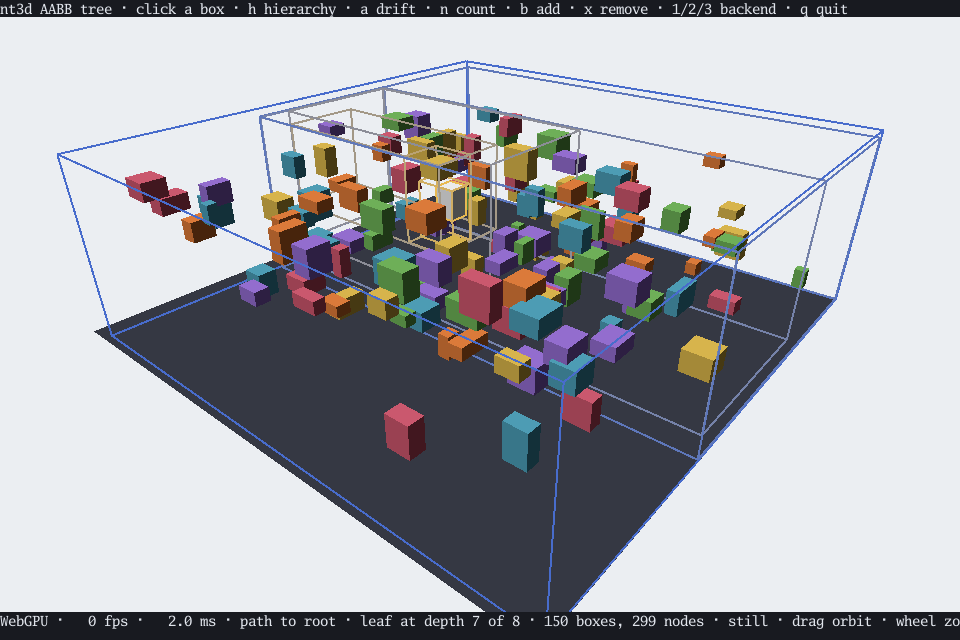
task aabb. Scattered boxes indexed by a dynamic AABB tree. Click a box: a ray from the camera through the click runs the tree’s own ray cast, the nearest box turns white, and its ancestors draw as nested wireframes, bright and warm at the leaf, cool and dim at the root. h switches between the picked box’s path, the whole tree, and none; a sets the boxes drifting, updating the tree every frame so you can watch ancestors stretch and the path change as it rebalances; n cycles 50, 150, and 500 boxes; b adds a box and x removes the picked one. The status line gives the leaf’s depth and the tree’s node count.
In a browser#
The gallery is online. To build and serve it yourself:
task build-web  # or task build-site, to include this guide at /docs/
task serve      # then open http://localhost:8768
The gallery links to every demo, each running inside go-booba with GPU, software, and wireframe rendering. The site’s sources are in web/, and the built site in dist/web/ can be served from any subdirectory.
Animation#
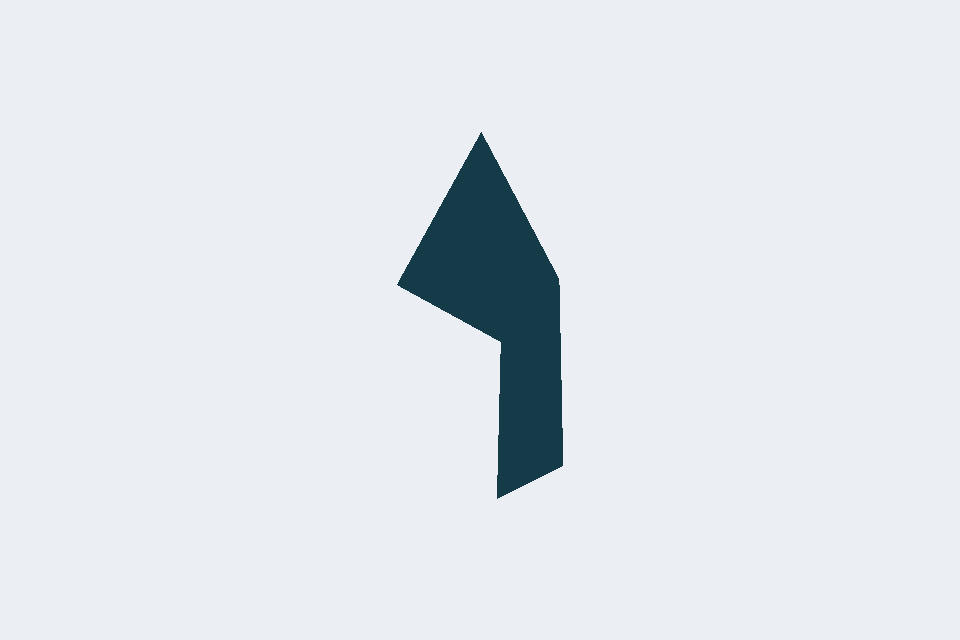
task animation. An original generated CC0 glTF ribbon bends on two joints, changes shape through a morph target, and plays translation, quaternion rotation, and scale tracks. a pauses; 1, 2, and 3 switch between GPU, software, and wireframe. The demo loads through glTF and drives the generic animation API.
glTF animation lab#
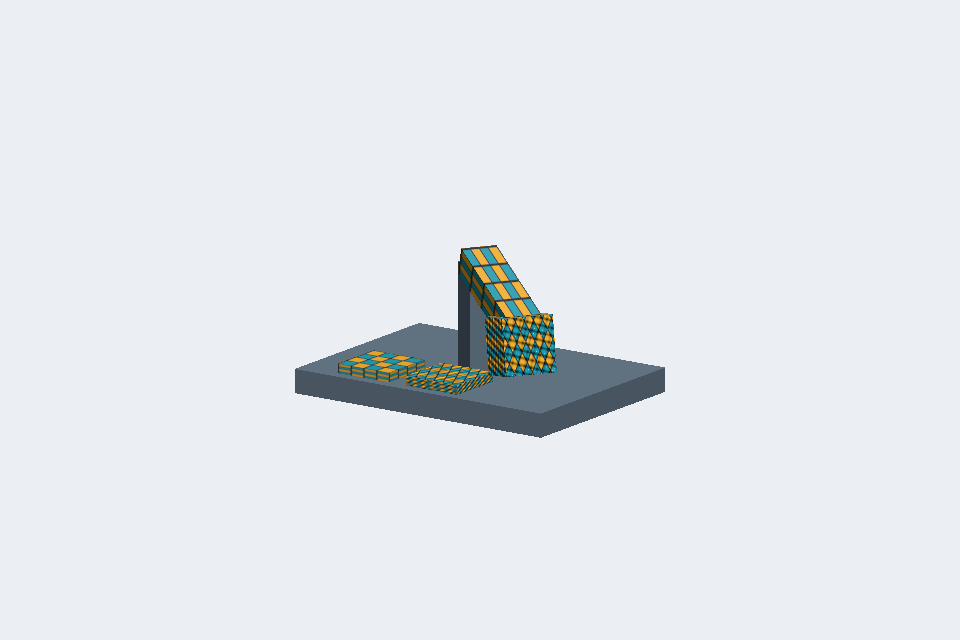
task animate opens an original generated assembly, followed by three self-contained Khronos glTF samples:
Assembly lab (6 KB GLB): nested turntable, shoulder, and tool pivots; authored perspective and orthographic cameras; reference and transformed texture tiles. The tool combines transformed color UVs with independent relief normal-map UVs. Press
kto cycle the orbit and authored cameras. Camera navigation restores the saved orbit view. GPU and software show the textures; wireframe shows the articulated structure.AnimatedMorphCube (GLB): two morph targets turn a cube into a thin slab and a ramp.
SimpleSkin (glTF plus binary buffers): two joints bend a strip through blended vertex weights and inverse bind matrices.
AnimatedTriangle (glTF plus binary buffers): quaternion keyframes rotate a triangle.
[ and ] change models, a toggles play/pause, Enter restarts, and , and . switch clips when a model has more than one. The bundled samples each have one clip. 1, 2, and 3 select GPU, software, and wireframe. Playback uses the generic animation API, and changing clips starts from a fresh instance so untracked channels return to the bind pose.
The original assembly is CC0 and can be regenerated with go -C examples/demos generate ./internal/demo/gltf. The Khronos model assets are CC0, by Microsoft (AnimatedMorphCube) and Marco Hutter (SimpleSkin and AnimatedTriangle). Upstream metadata is CC-BY-4.0. Original READMEs and licenses accompany every sample, with a pinned source revision in examples/demos/internal/demo/gltf/SOURCES.md. All sample files together, including provenance, occupy less than 30 KB.
Only cmd/animate imports the glTF sample embed package and assigns its Files to demo.SampleFiles. Relative .bin files are read through the mesh loader’s Options.Open. Other demo binaries do not embed these samples, and the separate examples/demos module keeps them out of the main library’s distribution. The generated animation demo and general-purpose meshes viewer and Gobkit character demo also opt into glTF decoding; other demos do not import that decoder.
Gobkit characters#
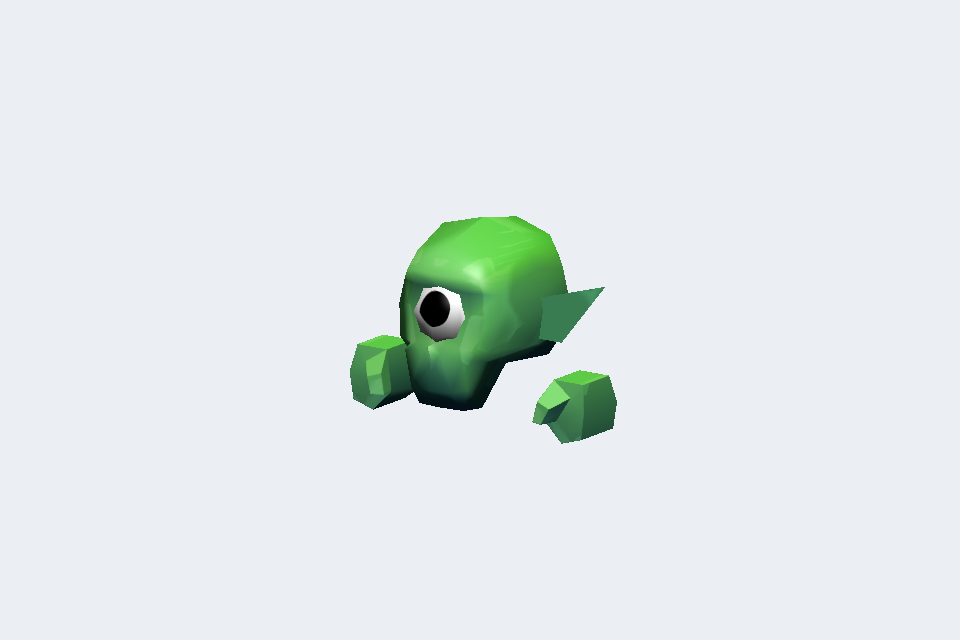
Press b for dark silhouette outlines in either GPU or software. The setting
survives character and clip changes, and toggling it keeps the current pose.
task characters plays Minion A-1, Corgi, and Duck from Gobkit.
All three have named idle, attack, and dead clips; the animals also have walk.
[ / ] change characters, , / . change clips, a toggles playback, and
Enter restarts the current clip (remaining paused if paused). Clips loop.
1 / 2 / 3 select GPU, software, and wireframe. The status line names the
character, clip, and source. The existing task animate glTF gallery remains available.
The original GLBs total 399,144 bytes and are CC0 1.0 (public domain,
no attribution required). License, download URLs, and SHA-256 checksums accompany
the assets in examples/demos/internal/demo/gobkit. Only cmd/characters imports
that embed package and supplies demo.SampleFiles; the files stay in the separate
demos module and are absent from library builds and other demo binaries.
Playback uses the same generic animation API and sample player as the Khronos gallery.